Advanced PDF Editor for Linux & Windows
Edit, annotate, fill forms, OCR, compress, and manage PDF documents — fully private, with no subscriptions and no cloud dependencies. A $35 one-time purchase you own forever.
A Native PDF Experience
Professional PDF editing built from the ground up for the desktop — fast, private, and fully featured.
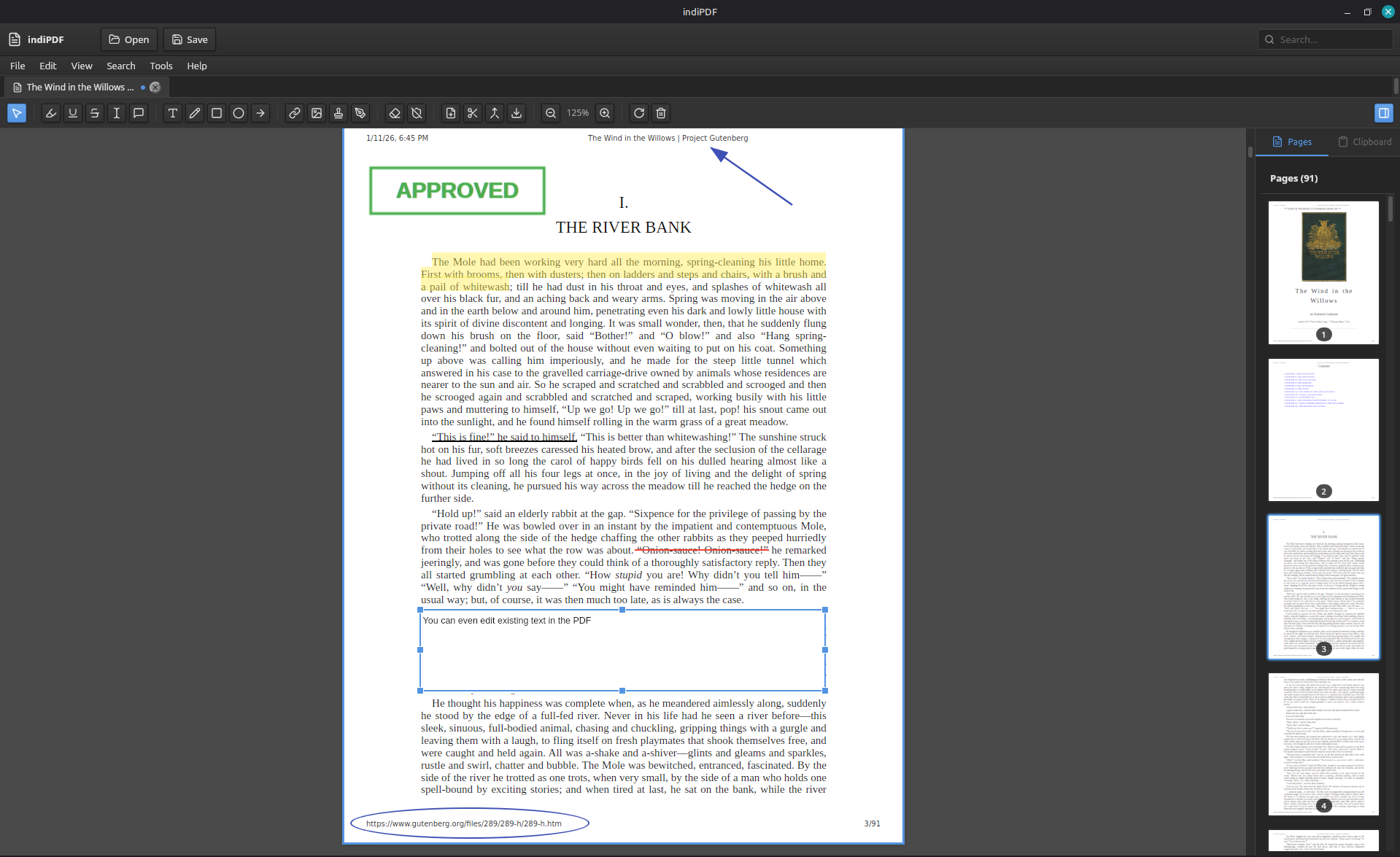
Annotate & Mark Up Anything
A complete markup toolkit — and every annotation is written as a standard ISO 32000 PDF object, so it's visible in Acrobat, Foxit, Evince, and any other reader.
- Highlight, underline, strikethrough with text snapping
- Freehand drawing, shapes, arrows, and an eraser
- Sticky notes that work even on scanned documents
- Signatures: draw, type, or reuse saved signatures
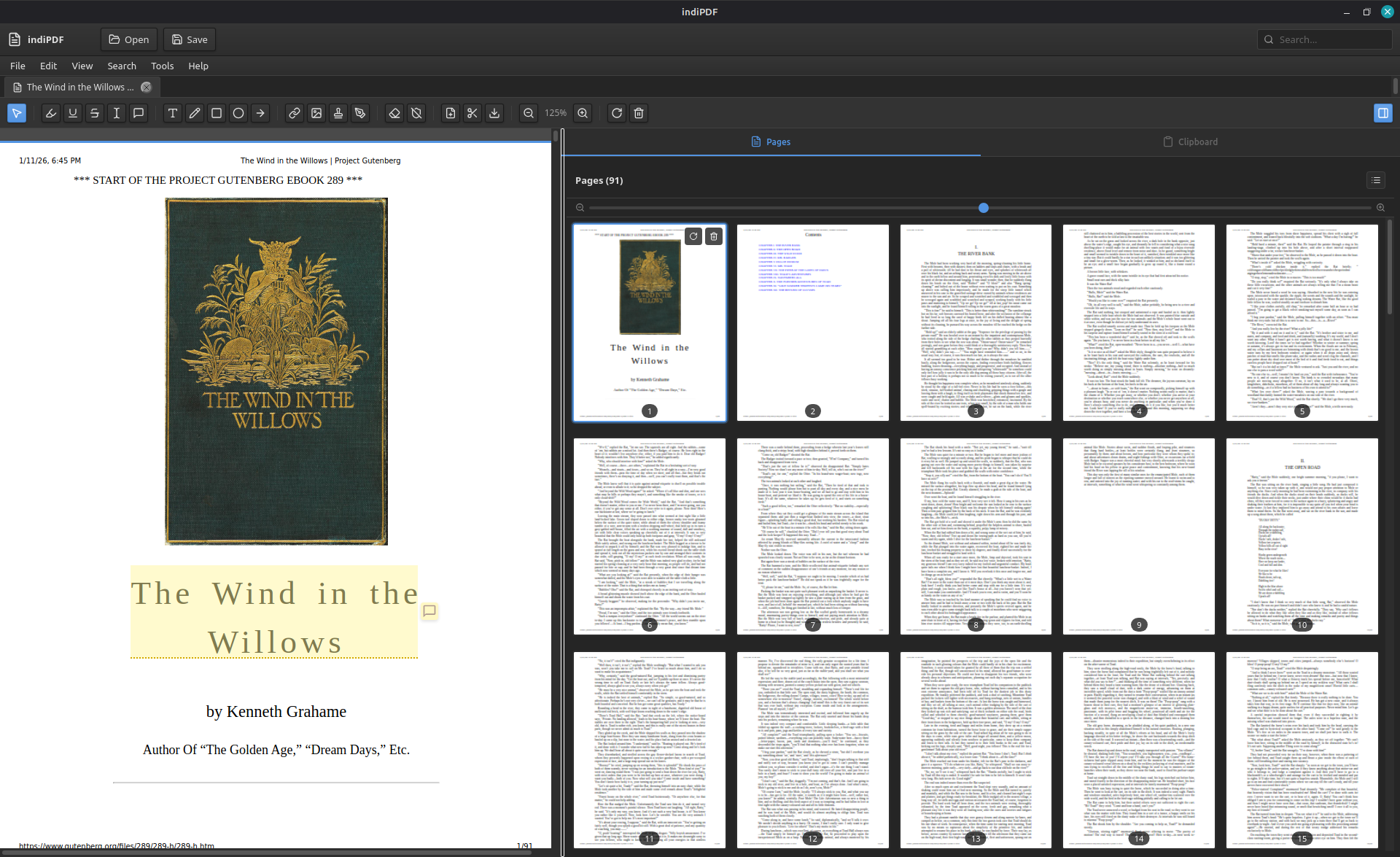
Organize Pages Visually
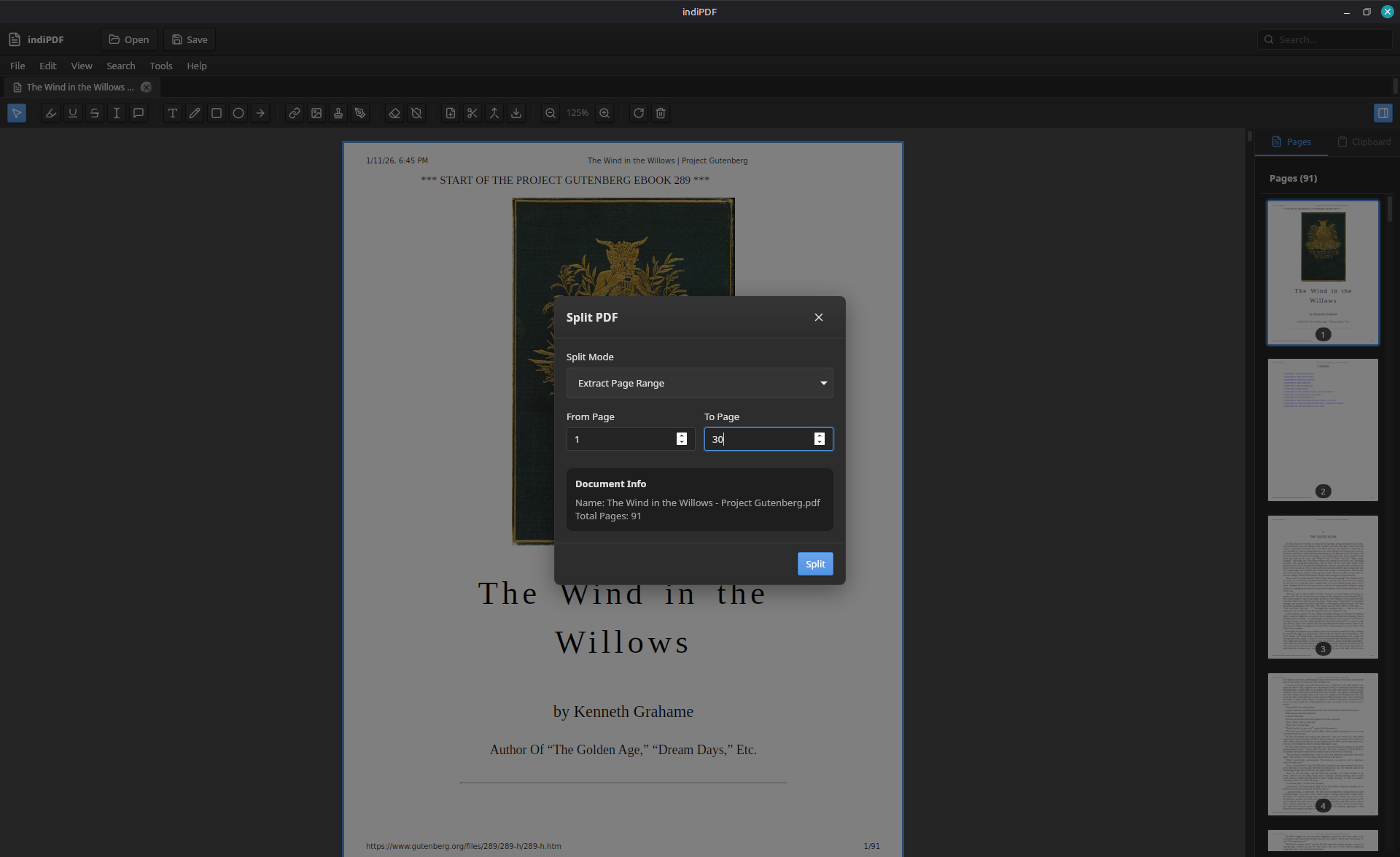
Reorder, rotate, delete, crop, merge, and split with a thumbnail sidebar or a full grid overview — PDF Arranger style, without leaving the editor.
- Drag-to-reorder thumbnails and a resizable grid view
- Visual crop/trim with non-destructive CropBox
- Merge multiple PDFs with form fields preserved
- Split out pages or page ranges into new documents
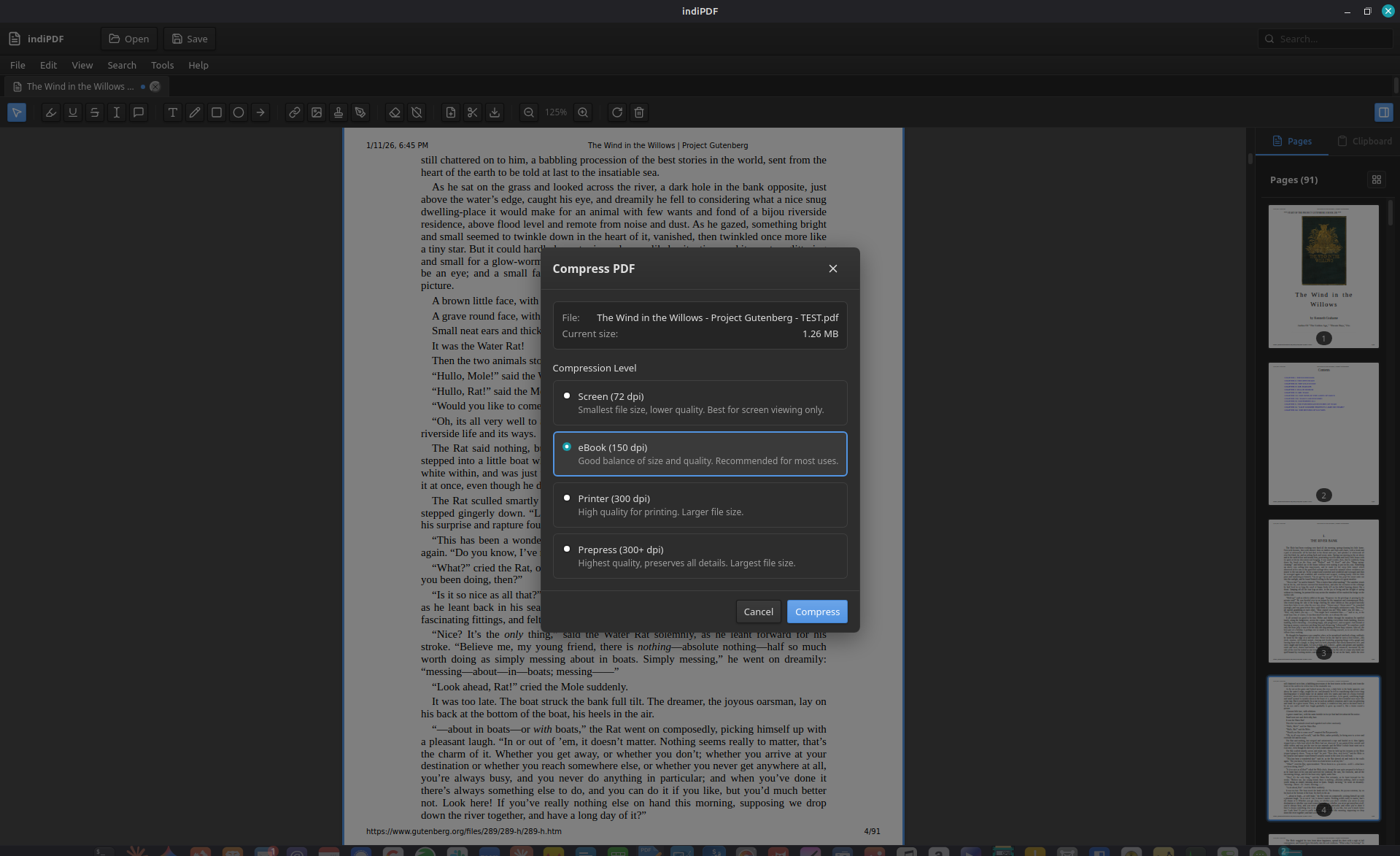
Compress & Optimize
Shrink oversized PDFs with Ghostscript-powered compression and clear quality presets, with a before/after size comparison so you know exactly what you're getting.
- Presets: Screen, eBook, Printer, and Prepress
- Before/after file size display
- PDF/A archival export (ISO 19005-1b, 2b, 3b)
- Export pages as PNG, JPEG, or WebP images
OCR & Scanning — Fully Private
Native Tesseract OCR runs entirely on your machine, never in the cloud. Scan directly into the editor and turn paper into searchable, editable PDFs.
- 15 bundled OCR languages, processed locally
- Direct scanner integration (SANE, WIA)
- Flatbed and document-feeder (ADF) support
- Multi-page scanning with automatic PDF assembly
The Complete Feature Set
One purchase, every feature, free updates within your major version. No upsells, no premium tier.
Document Operations
Multi-tab editing, save/flatten, recent files, and document properties.
Text Markup
Highlight, underline, and strikethrough with smart text selection snapping.
Text Editing
Edit existing text with font family, size, and color customization.
Freehand & Shapes
Drawing, rectangles, circles, arrows, and a drag-to-erase tool.
Signatures
Draw, type with bundled fonts, or reuse saved signatures.
Stamps
Built-in presets plus custom multi-line stamps.
Form Filling
Text fields, checkboxes, radios, dropdowns, and calculated fields.
Page Management
Reorder, rotate, delete, crop, merge, and split pages.
OCR
Offline Tesseract OCR in 15 bundled languages.
Scanner Support
SANE and WIA integration with flatbed and ADF sources.
Compression
Ghostscript presets with before/after size display.
PDF/A Export
Archival conformance: PDF/A-1b, 2b, and 3b.
Encryption & Security
AES-256 encryption plus automatic security scanning on open.
Document Conversion
Import images, Office documents, and Markdown as PDF pages.
Full-Text Search
Search with result navigation and match cycling.
Cross-Platform
Native builds for Linux and Windows.
Fully Private
Your documents never leave your computer. No cloud uploads, no tracking, no data collection — OCR, compression, and every other operation runs locally on your machine.
Buy Once, Own Forever
A $35 one-time purchase with free updates within your major version. No subscriptions, no recurring fees, no surprise price increases — ever.
Standards-Compliant
Every annotation is written as a standard ISO 32000 PDF object, so your markup is visible and editable in Acrobat, Foxit, Evince, and any other compliant reader.
Frequently Asked Questions
Get indiPDF
$35 — Lifetime License. Download now and try it free.
Prefer automatic updates? Install from our repository:
Need help getting started? Read the documentation.
Your Documents. Your Computer. Your Rules.
Professional PDF editing that never tracks you.