Accounting Software That Respects Your Privacy
A complete desktop accounting platform for freelancers, contractors, and small businesses — with multi-user for the whole office, a sealed accountant's copy for year-end, and now a way in for the software you used with QuickBooks Desktop. Your financial data never leaves your computer, and it never touches ours.
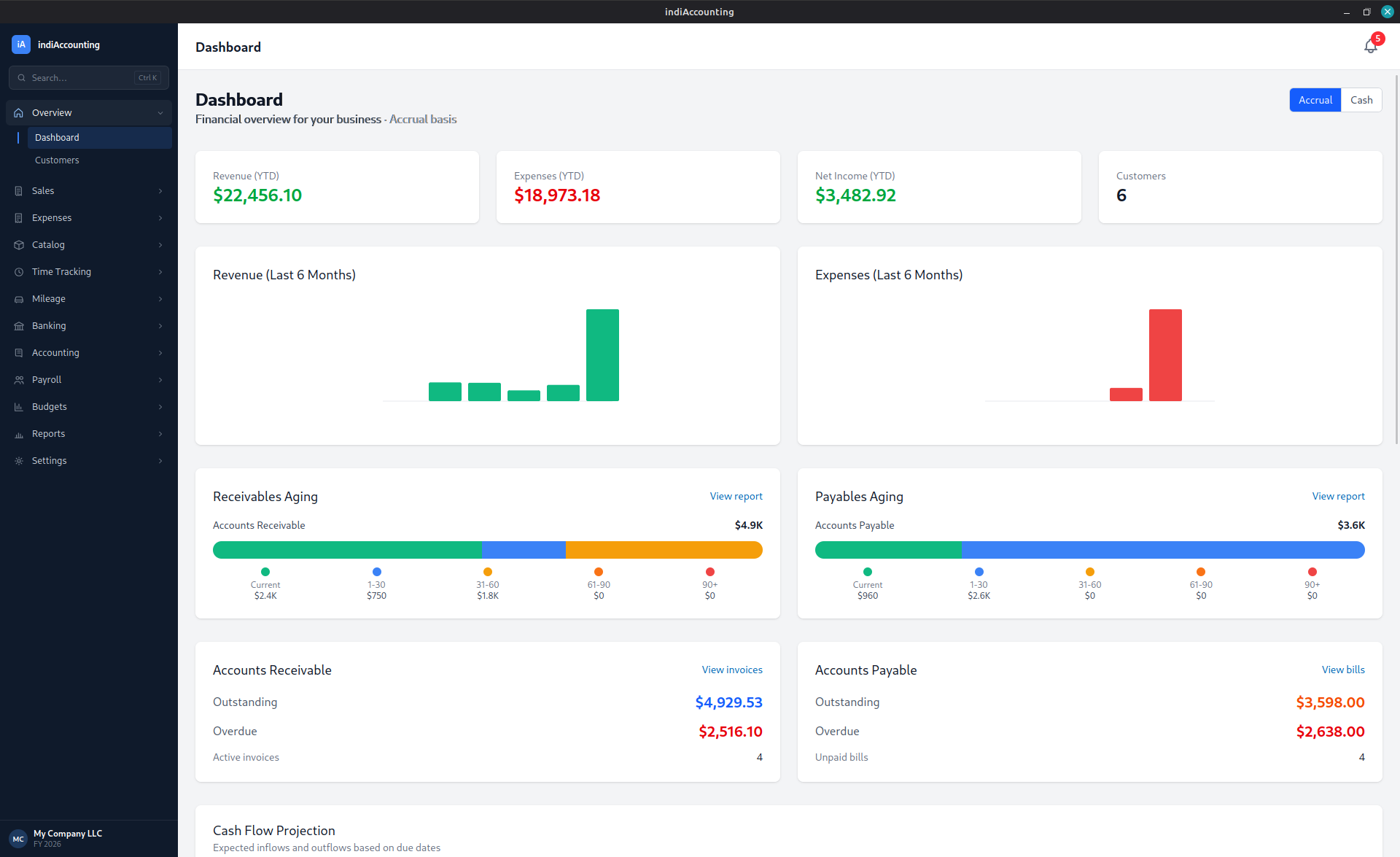
Your Whole Business at a Glance
Privacy-first desktop accounting and payroll for freelancers, contractors, and small businesses. Your books live on your own machine — not in the cloud.
Leaving QuickBooks Desktop? Bring Your Systems With You.
Your order system, web store, or other software that only knows how to talk to QuickBooks Desktop can now talk to indiAccounting instead. Plus a round of everyday improvements asked for by a promotional-products business making the move.
QuickBooks Web Connector
Programs that sync with QuickBooks Desktop through the Web Connector can sync with indiAccounting instead. Add the program's .qwc file and password, and its customers, items, invoices, sales and purchase orders, bills, and payments come straight into your books — on demand or on a schedule. indiAccounting only connects out, over https; nothing listens on your machine.
IIF Import
Read the .iif files QuickBooks Desktop and many order systems write. Customers, vendors, items, and accounts come across; invoices, bills, credit memos, and orders become those documents; checks, deposits, and journal entries post line for line. See what each will become before anything is imported — and importing twice adds nothing.
Recurring Bills & Copy
Make rent, subscriptions, and instalments recurring, raised each period dated for the period they cover. Copy any bill to start the next one, add a new vendor without leaving the bill, and pick catalog items on bill lines.
Refunds & Merchant Fees
Refund a customer's credit to their card or bank. Take the card processor's fee off a deposit so it matches your bank statement to the cent, with the payers named on the register line.
Returns to Vendors
Credit defective goods back to the supplier by item and quantity — tracked inventory comes off the shelf — and refund the credit to the card you paid with. Credits now show on every customer's and vendor's page.
Faster Every Day
Sort invoices and sales orders by any column, open an account's ledger straight from the Chart of Accounts, delete a mistaken import, and price items to a hundredth of a cent.
Work Together. Keep It Yours.
The most-requested feature since 1.0, built the only way that keeps our promise: the whole office in one set of books, and not one byte of it on a server of ours.
Multi-User Hosting
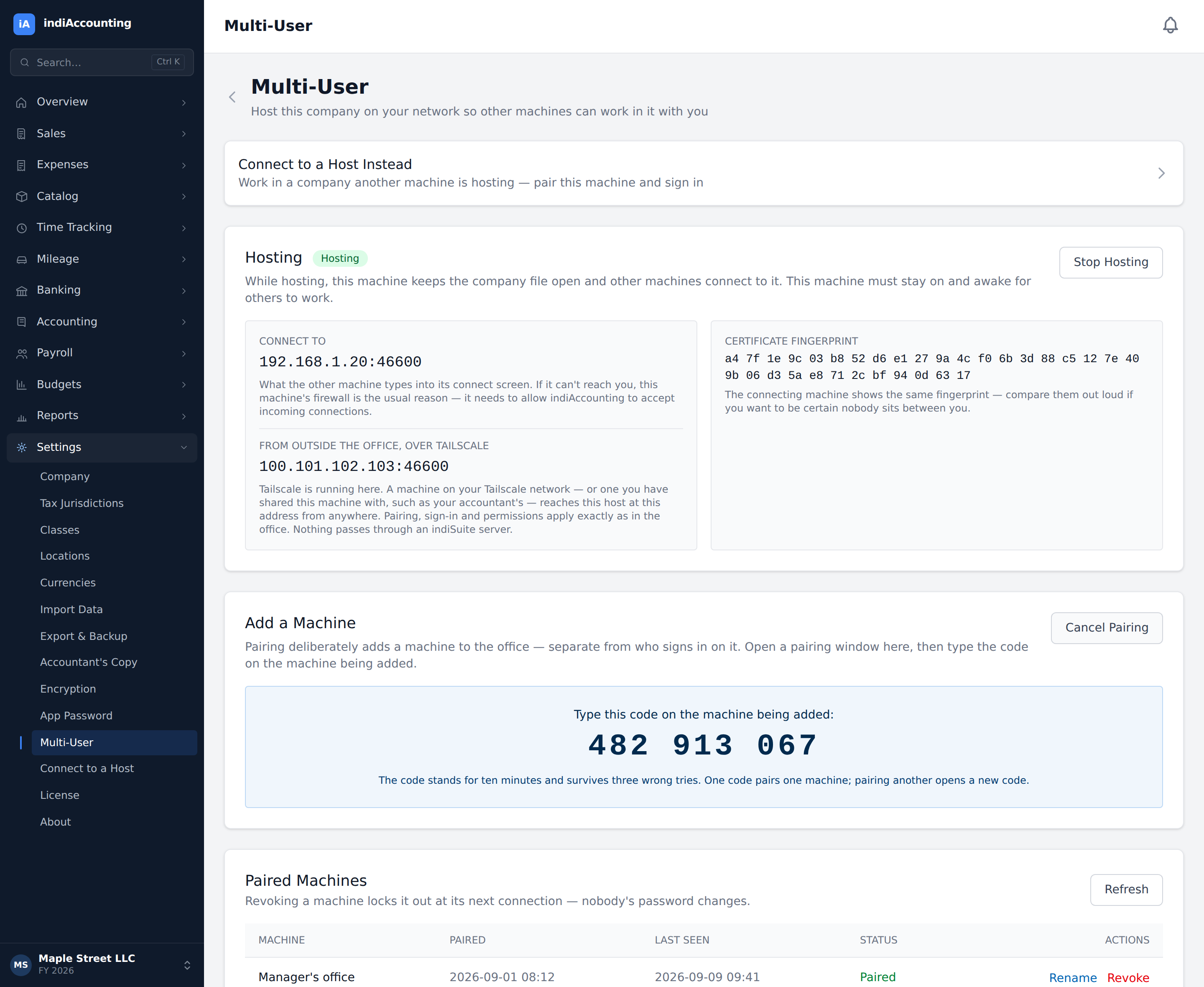
One machine hosts the company; the rest of the office works in it at the same time over an encrypted connection on your own network. Every person signs in as themselves, with permissions by area, and edits are held by name so nobody overwrites anybody.
Accountant's Copy
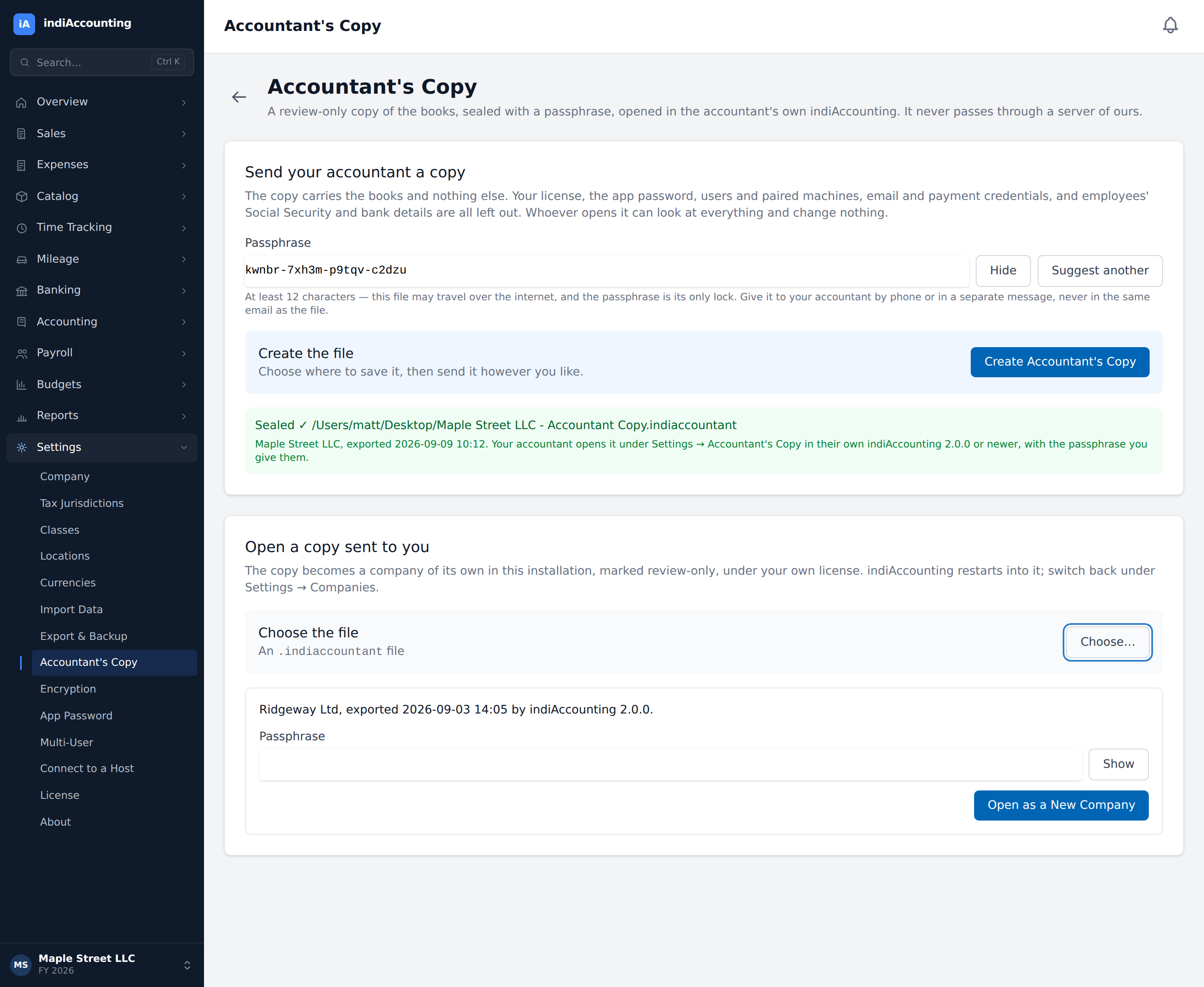
At year-end, send a sealed, review-only copy of the books. Your accountant opens it in their own indiAccounting, sees everything, and changes nothing. Passphrase-encrypted, with your license, passwords, and employees' personal details scrubbed out first.
From Outside the Office
A bookkeeper at home or an accountant across town reaches the host over your own Tailscale network — same pairing, same sign-in, same permissions. We run no relay, and we never will.
One Add-On, One Machine
One add-on covers the whole office. Multi-User is licensed on one machine only — the one that hosts the books. Every other machine connects for free, no seats to count.
Built for the Office That Takes Checks to the Bank
Asked for by a non-profit moving in from AccountEdge, and useful to anyone who deposits in batches, sends reminders instead of invoices, or works their reports over in a spreadsheet.
Donations & Deposits
Record a gift or a cash sale the moment it arrives, with no invoice in front of it. Hold it in Undeposited Funds with the other checks, then Make Deposit takes the batch to the bank as one line that matches your statement, and prints the deposit slip.
Giving Statements
Every donor's gifts for the year, as a statement to print or email, one at a time or the whole list at once, plus a receipt for a single large gift. Your own acknowledgment wording, editable.
Your Words on the Invoice
Change the heading to REMINDER or STATEMENT OF DUES, call the recipient a Member, rename the labels, and add a standing line above the items. Same document, your vocabulary, on paper, PDF, and email.
Reports Into a Spreadsheet
Export any report as an .ods that opens straight into LibreOffice Calc with the figures as real numbers. Customer and vendor drop-downs in the report builder, and a Class column on the ledger reports.
Multi-User for the Whole Office
One machine hosts the company; the others work in it at the same time over an encrypted connection on your own network. No server to install, no cloud in the middle — and nothing of yours ever passes through a server of ours.
- Every person signs in as themselves, with permissions by area — Sales, Purchasing, Banking, Payroll, Books
- Edits are held by name — "Ida Roth is editing this customer" — and screens refresh within five seconds
- Machines are paired deliberately; revoke a stolen laptop without anyone changing a password
- The add-on is needed on one machine only — the host. Every other machine in the office connects for free
- Working from home or a second office? Run Tailscale on both ends and the host is reachable from anywhere — over your network, not ours
An Accountant's Copy, Not a Login
At year-end, send your accountant a sealed, review-only copy of the books. They open it in their own indiAccounting, see everything, and change nothing. No machine left running, no port opened, no server between you.
- Encrypted under a passphrase you give them separately — the file can travel by email or USB stick
- The books to the cent, and nothing else: your license, passwords, users, service credentials, and employees' SSNs and bank details are scrubbed before sealing
- Marked review-only inside the file — every save is refused by name
- Opens under the accountant's own license as a company of its own
Invoicing & Payments
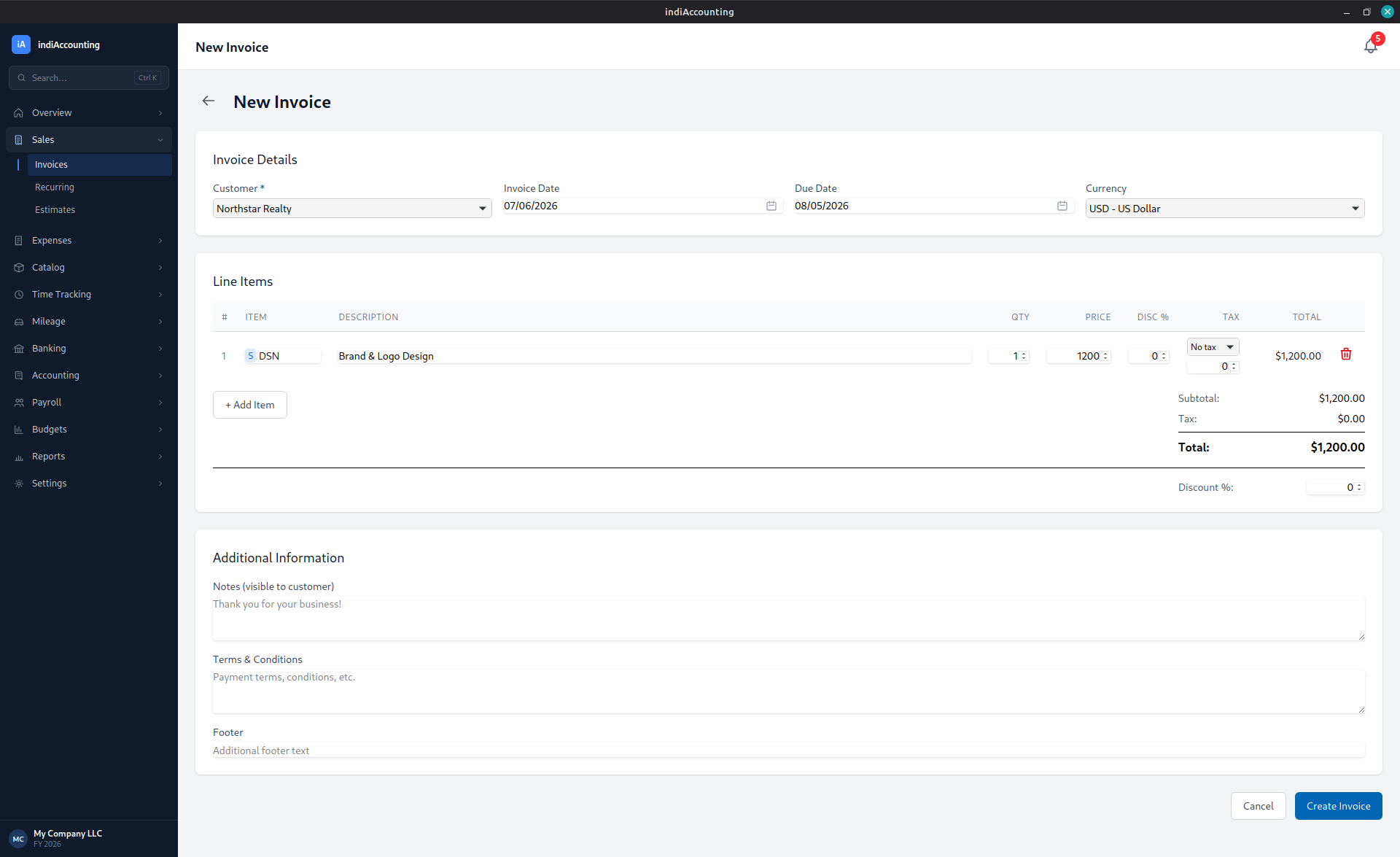
Professional invoices with full lifecycle tracking from draft to paid. Generate PDFs, email directly to clients, and accept online payments through Stripe.
- Recurring invoices with flexible scheduling
- Automated late fees and payment reminders
- Estimates with one-click conversion to invoices
- Multi-currency support with exchange rates
Full Payroll for All 50 States
Run payroll with automatic tax calculations for federal, state, and local jurisdictions. W-4 withholding, W-2 generation, FICA, FUTA, and SUTA — all built in.
- Multi-step pay run wizard with review and approval
- State tax tables for all 50 states + DC, plus local income tax
- Tips and S-Corp shareholder health insurance handled correctly
- Switching mid-year? Enter prior-system balances and keep every total correct
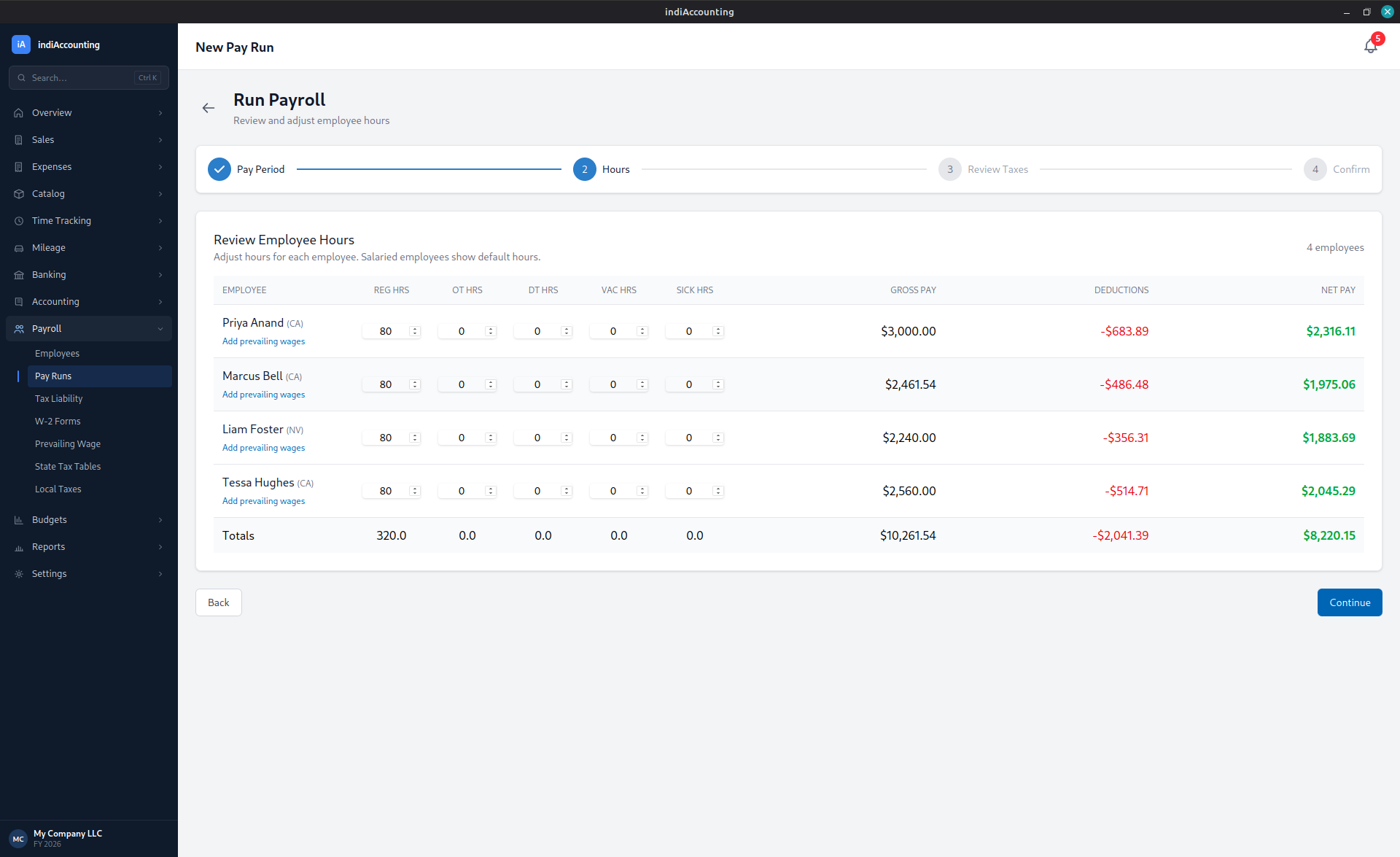
Payroll Tax Forms on the Official Government PDFs
Not summaries — the actual IRS and SSA forms, filled field by field with your computed figures, ready to review, sign, and file. Every number is derived from the payroll you recorded.
- Form 941 with full computation, including the line-7 fractions-of-cents adjustment
- Form 941 Part 2 deposit schedule for monthly and semiweekly depositors
- Forms 940, 943, and 944, plus W-2 (Copy A), W-3, 1099-NEC, and 1096
- EFW2 electronic wage file for upload to the SSA's Business Services Online

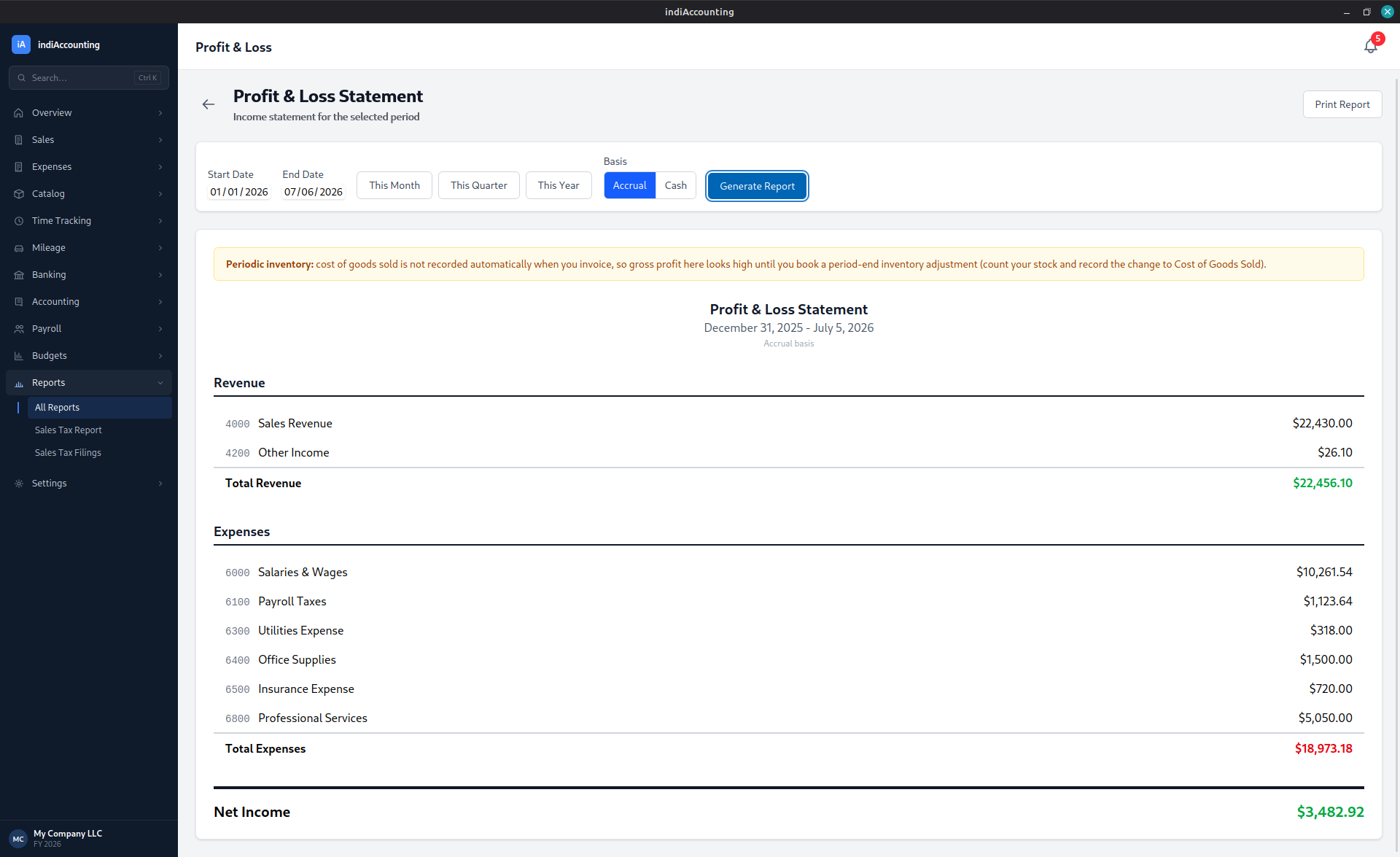
15 Financial Reports
Every report a small business needs to understand its finances and stay compliant — profit & loss, balance sheet, cash flow, aging, tax liability, and more.
- Profit & loss, balance sheet, and cash flow
- AR and AP aging reports
- Sales tax liability and filing summaries
- Export to PDF and CSV
Banking & Reconciliation
Import transactions via CSV or OFX, or sync automatically through SimpleFIN. Reconcile against your monthly statement, with finalized reconciliations locked as an audit-ready control.
- Statement-based reconciliation — finalize only at a $0.00 difference
- Locked reconciliations with printable reports your accountant can rely on
- SimpleFIN integration, CSV/OFX import, and duplicate detection
- Checking, savings, credit, and loan accounts
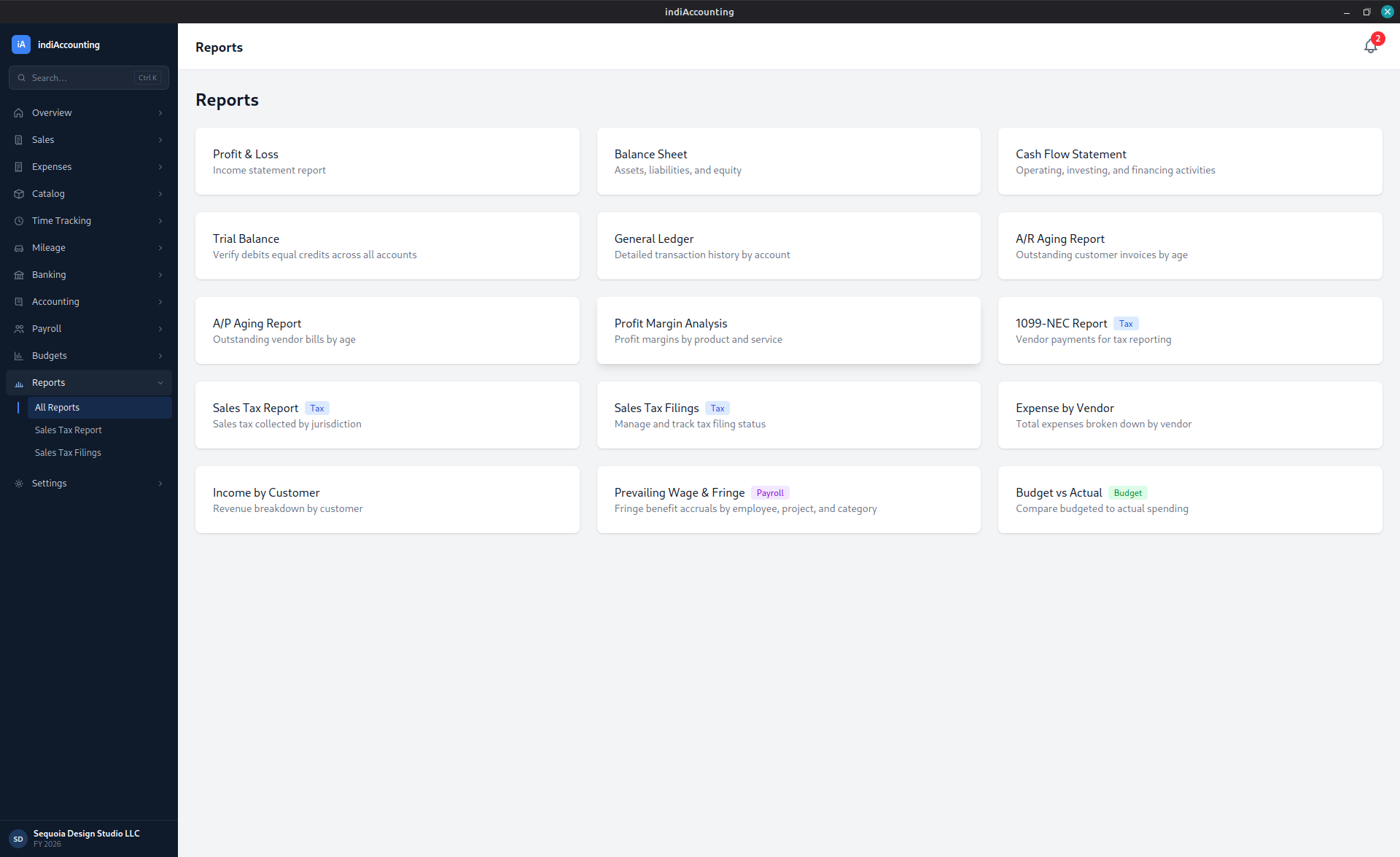
The Complete Feature Set
From official IRS tax forms and full payroll to multi-user hosting, inventory, receipt OCR, and time tracking.
Dashboard & KPIs
Revenue, expenses, cash flow projections, and aging charts at a glance.
Invoicing
Full lifecycle with PDF generation, email delivery, and payment links.
Estimates
Professional quotes with one-click conversion to invoices.
Recurring Invoices
Template-based billing on weekly, monthly, or custom schedules.
Bills & Expenses
Track payables by account or catalog item, copy a bill to start the next, and attach documentation.
Recurring Bills
Rent, subscriptions, and instalments raised each period, dated for the period they cover, with missed periods caught up.
Purchase Orders
Full PO lifecycle with goods receipt tracking and bill conversion.
Payroll
All 50 states, W-2s, 1099s, FICA, FUTA, SUTA, and local taxes.
General Ledger
Chart of accounts with hierarchy, journal entries, and trial balance.
Bank Reconciliation
CSV/OFX import, SimpleFIN sync, matching, and categorization.
Inventory
Stock tracking, reorder points, adjustments, and low-stock alerts.
Time Tracking
Multi-timer support with billable classification and invoice conversion.
Mileage Tracking
IRS rate support, vehicle management, and reimbursement workflows.
Project Management
Budget tracking, employee assignment, and per-project billing rates.
Receipt OCR
Tesseract-powered data extraction from uploaded receipt images.
15 Financial Reports
P&L, balance sheet, cash flow, aging, tax liability, and more.
Multi-Currency
Exchange rate tracking with per-customer and per-invoice currency.
Custom Report Builder
Design and save your own reports over invoices, bills, ledger, time, and payroll — pick columns, filters, grouping, and totals, then export to CSV or a spreadsheet. Read-only, no formulas or SQL.
Donations & Deposits
Income without an invoice, an Undeposited Funds holding account, and Make Deposit with a printable deposit slip.
Giving Statements
Year-end statements and single-gift receipts for every donor, printed in one run or emailed in a batch.
Document Wording
Rename the invoice's heading and labels — REMINDER, Member, Dues Outstanding — without touching the figures.
Spreadsheet Export
Any report as an .ods for LibreOffice Calc, with amounts as numbers that sum and sort.
Multiple Companies
Manage unlimited companies on one license, each with fully isolated books. Switch instantly from the sidebar.
Multi-User Hosting
Host a company on one machine and work in it together from the rest of the office — encrypted, paired, with per-person permissions. No server, no cloud.
Accountant's Copy
A sealed, review-only copy of the books your accountant opens in their own indiAccounting. Credentials scrubbed, passphrase-encrypted, nothing in between.
Job Costing
Tag invoices and bills to a project and see per-job profitability, including unbilled time as work-in-progress.
IRS & SSA Tax Forms
941, 940, 943, 944, W-2/W-3, and 1099-NEC/1096 filled onto the official government PDFs from your payroll figures.
Deposit Schedule
Form 941 Part 2 for monthly and semiweekly depositors, with liabilities that tie exactly to line 12.
EFW2 E-File
Generate the SSA wage file for upload through Business Services Online. SSNs stored encrypted and write-only.
Mid-Year Switching
Enter prior-system year-to-date balances so wage caps, W-2s, and 941s stay correct across both systems.
Statement Reconciliation
Reconcile to your monthly bank statement and lock finalized periods as an audit-ready control.
Pay Stubs
Per-employee PDF pay stubs, downloadable or emailed directly.
Customer & Vendor Credits
Issue and apply credit memos against invoices and bills, refund them to a card or bank, and credit returned goods by item.
QuickBooks Web Connector
Order systems and web stores that sync with QuickBooks Desktop sync with indiAccounting instead, from their .qwc file.
IIF Import
QuickBooks .iif lists and transactions, previewed and matched account by account, then imported as documents and journal entries.
Statement Drill-Down
Click from a financial statement to the ledger to the underlying source document.
Pay Once. Own It Forever.
No subscriptions, no monthly fees, no data collection. One purchase, lifetime free updates for the accounting module; optional payroll and multi-user add-ons.
indiAccounting
Full accounting without payroll
One-time purchase
- Invoicing, estimates & recurring billing
- General ledger & chart of accounts
- Banking, reconciliation & SimpleFIN
- All 15 financial reports
- Time, mileage & project tracking
- Inventory, products & services
+ indiPayroll
Add payroll for 1–10 employees
$548 total, with indiAccounting base.
One-time add-on · $99/yr tax table updates
- Federal & all 50 state tax calculations
- 941, 940, 943, 944 on the official IRS PDFs
- W-2/W-3 & 1099-NEC/1096, plus EFW2 e-file
- FICA, FUTA, SUTA & local income tax
- Multi-step pay run wizard
- Mid-year switching with prior-balance import
+ Payroll Growth
Scale payroll as your team grows
$748 total, with indiAccounting base.
Purchase Payroll 11-50$1,048 total, with indiAccounting base.
Purchase Payroll 51-100One-time add-on · $99/yr tax table updates
- Everything in the 1–10 tier
- Scales with your business
- Upgrade tiers anytime — pay the difference
- 100+ employees: contact for pricing
+ Multi-User
Host your company for the whole office
$648 total, with indiAccounting base.
One-time add-on · licensed on the hosting machine only · no per-seat fees
- Every machine in the office, up to 64 connected at once
- Per-person permissions by area
- Encrypted connections, pinned to your host
- Reachable from outside over your own Tailscale network
- Connecting to a host is always free — only hosting is licensed
- Included in the 30-day trial
Purchase from inside the app — Settings → Multi-User → Add Multi-User — and your replacement key arrives by email.
How Multi-User WorksThe Math Speaks for Itself
3-year total cost of ownership for a 10-employee business.
| indiAccounting + Payroll | QuickBooks Online + Payroll | Gusto + Xero | |
|---|---|---|---|
| Year 1 | $647 | ~$2,640 | ~$3,000 |
| Year 2 | $99 | ~$2,640 | ~$3,000 |
| Year 3 | $99 | ~$2,640 | ~$3,000 |
| 3-Year Total | $845 | ~$7,920 | ~$9,000 |
Frequently Asked Questions
Get indiAccounting
Privacy-first desktop accounting and payroll. Download now and try it free for 30 days.
Linux
Windows
Windows 10 / 11 · Installer code-signed by Indomitus Group LLC
Prefer automatic updates? Install from our repository:
Need help getting started? Read the documentation.
Your Books. Your Computer. Your Rules.
Stop paying monthly rent on software you should own.