Your Own Database, No Programming Required
A desktop database in the tradition of FileMaker Pro and Lotus Approach — tables, forms, reports, and finds, all in one file on your own computer. Run invoicing, the mailing list, and equipment loans as separate apps inside that one file. Share it with the whole office without a server product, and without a subscription.
Your Whole Database at a Glance
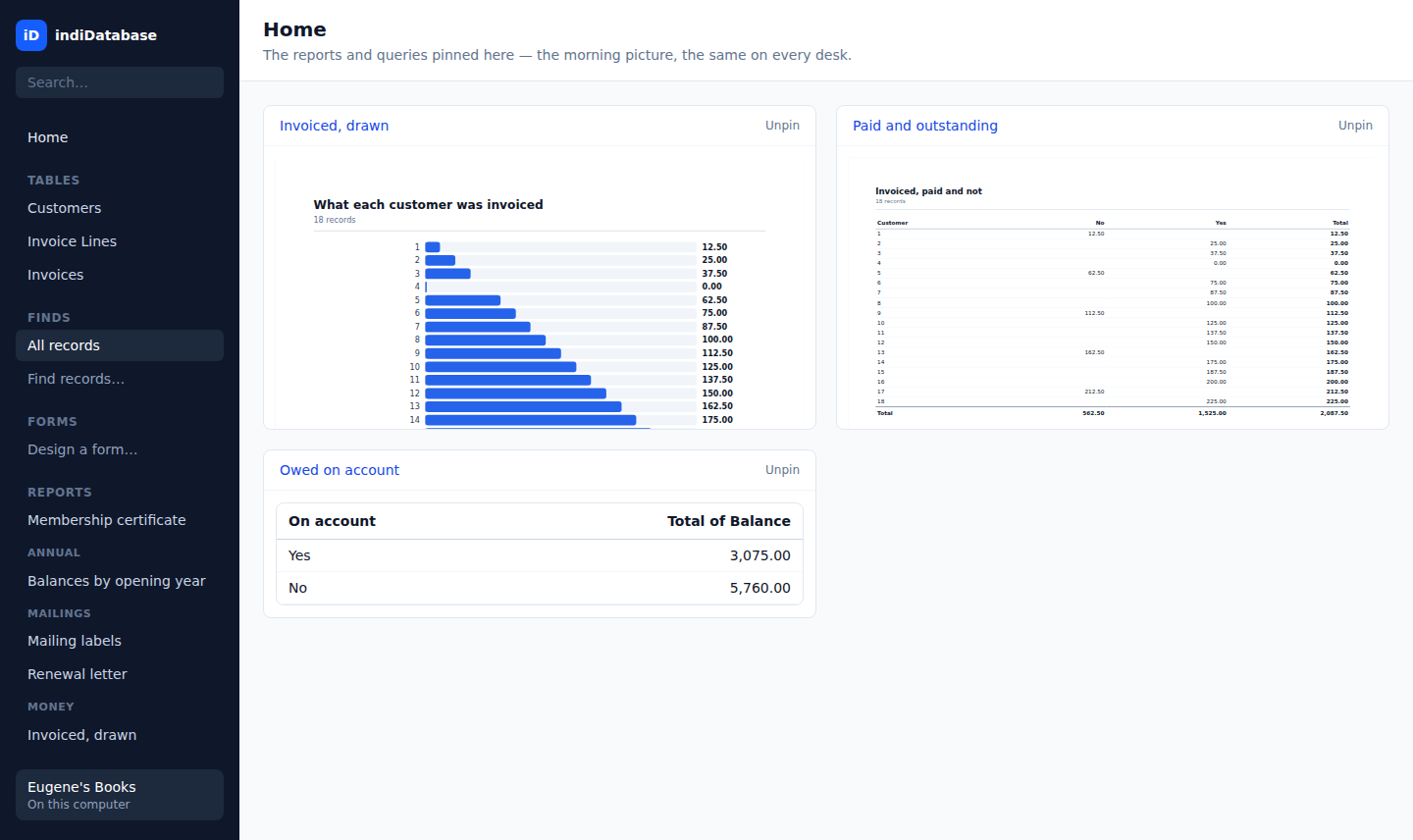
Pin your favourite reports and worksheets to Home and walk in to the same morning picture every day. The pins live in the file itself, so every desk in the office sees the same dashboard.
One File, Every Part of Your Business
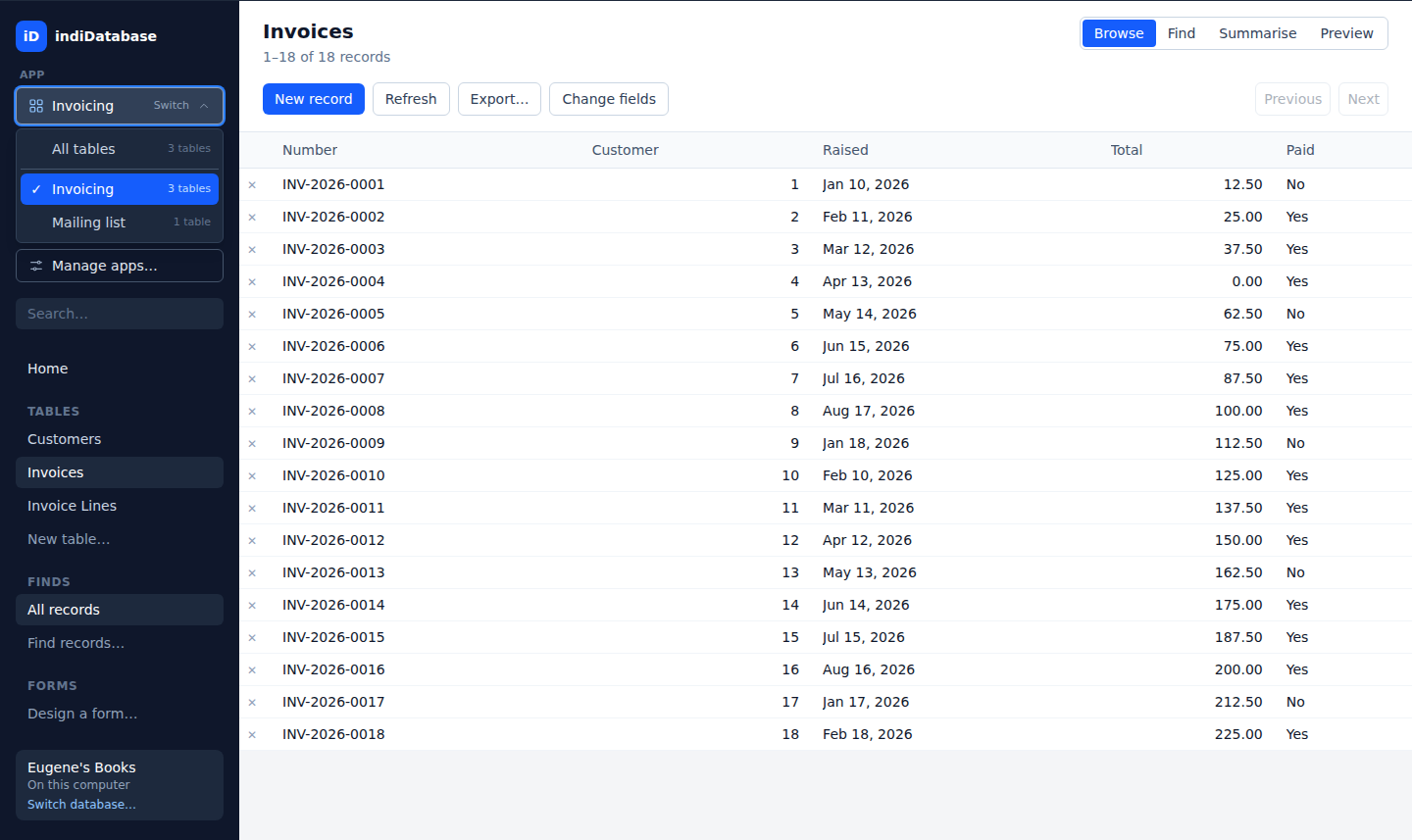
A shop's database ends up doing several jobs — invoicing, the mailing list, equipment loans. Group the tables for each into an app, and the switcher at the top of the sidebar moves between them like switching programs: only that app's tables, in its own order, and only its pins on Home. Everything stays in one file, so the customers are the same customers in every app.
- A table can be in several apps — Customers belongs to invoicing and to the mailing list
- Relationships work across apps; users, sharing, and backups cover the whole file
- "Grant an app…" gives a role every table in an app at once — the invoicing clerk gets invoicing in one click
- Every template arrives as a working app of its own name — forms, saved finds, reports and a pinned Home already in place
- Export any app as a template file — forms, reports, finds, styles and all — and hand it to another shop, or start next year's database from it. The design travels; the records stay home, and a template's buttons never change a record or write a file without asking you. An app that leans on a table it doesn't hold says which to add before it exports
- Each desk remembers its own app, so two people can be doing different jobs in the same database
Browse, Find & Highlight
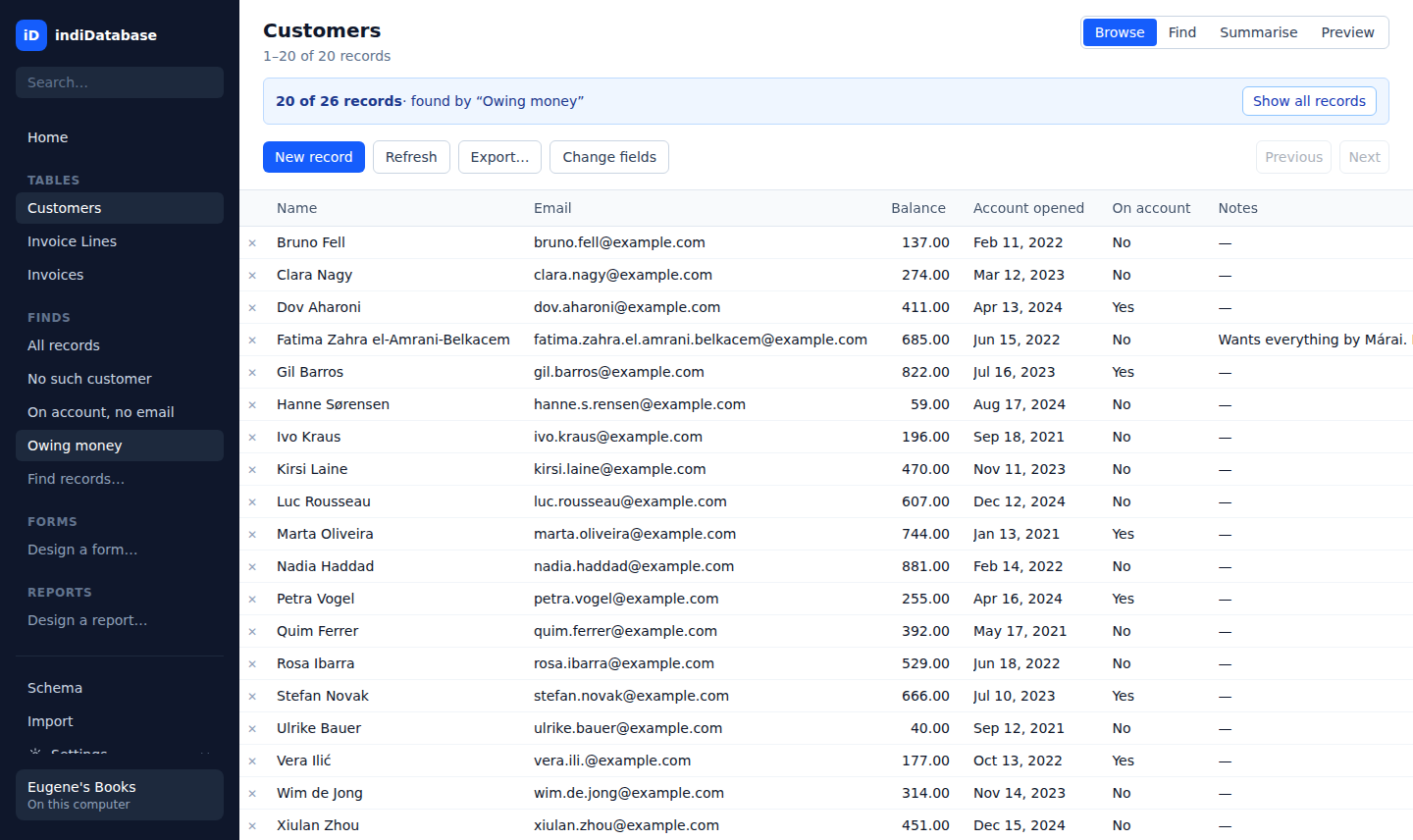
A spreadsheet-style grid over every table, generated straight from your schema. Run a find and the banner says how many of how many — you always know when you're looking at a slice of your file, never the whole thing by accident.
- Saved finds one click away in the sidebar, with found-set counts
- Sorting and finding ignore capitals — "de Vries" is filed among the Ds, not after every name with a capital
- Conditional formatting — overdue balances turn bold and red, by a rule stored in the file
- Money stays exact: 12.50 plus a fifth is 15.00, never 14.999999999999998
- Export the found set to CSV, in its sort, at any size
Forms the Way Approach Drew Them
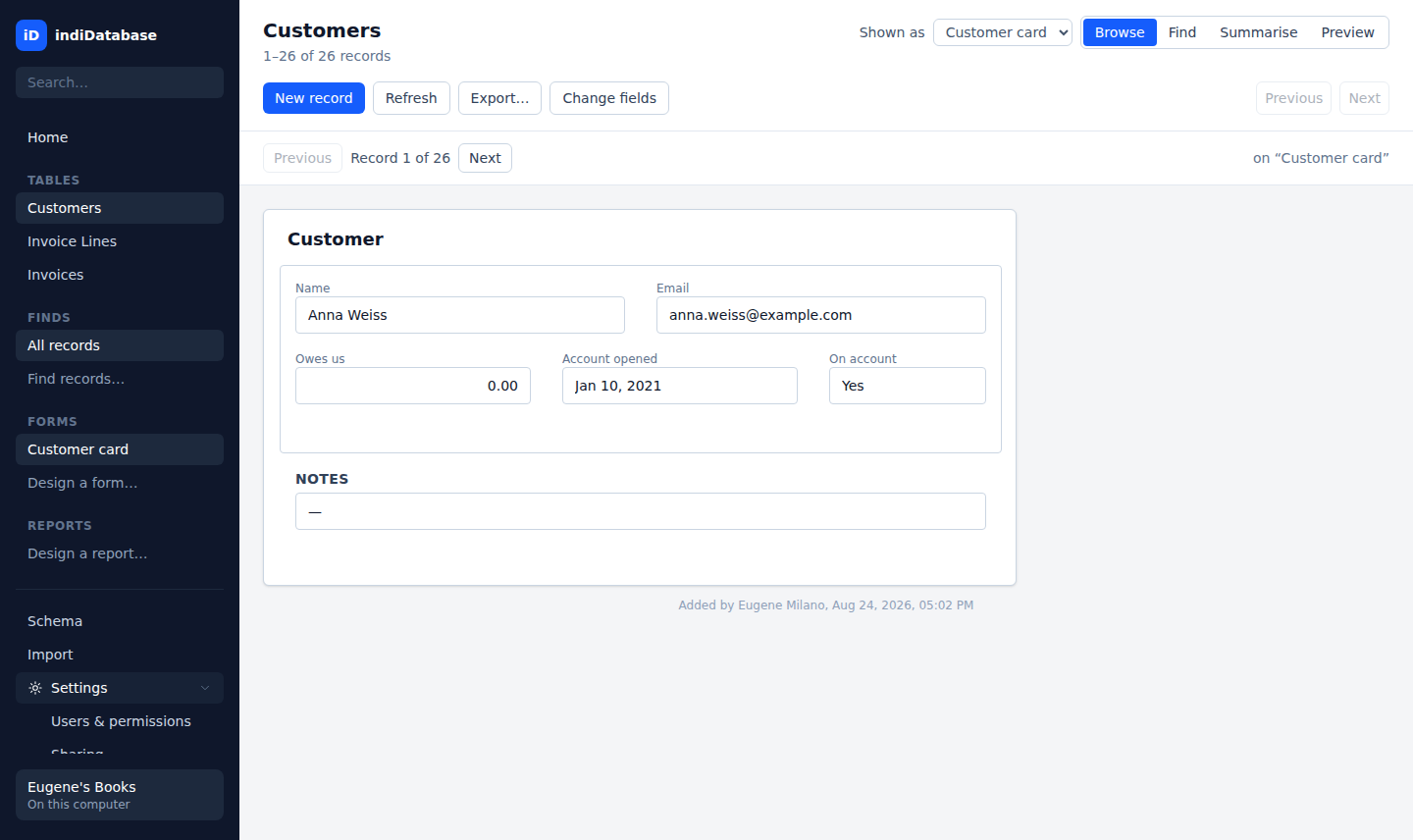
Lay out a card for each record with the point-and-click form designer — fields, labels, boxes, and buttons. Press Find and the same form takes criteria in its own boxes, which is exactly how Lotus Approach did it, and the reason forms and finding are one feature.
- Browse record by record, add a new one on the card itself, or switch the same table back to a grid any time
- Related records from another table shown on the card, read across a join
- Every record carries its history — who added it, who last changed it
- Buttons run the day's routine: find, sort, set a field — with a guard condition
Six Kinds of Reports, All the Real Printed Page
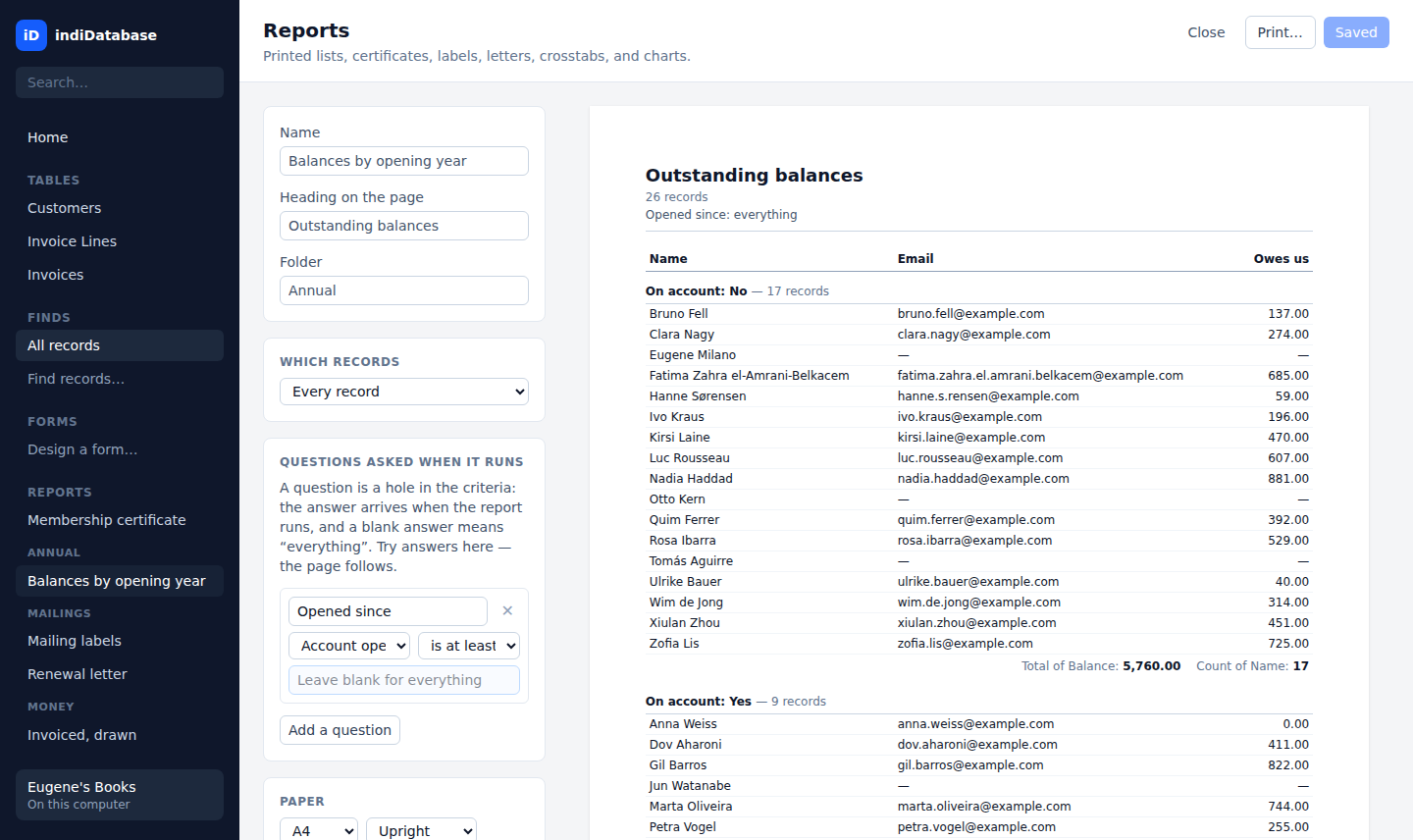
Grouped lists with exact totals, certificates, Avery label sheets measured in millimetres, form letters that greet each person by name, crosstabs, and charts. The preview is the page that prints — not a sketch of it.
- A report can ask questions when it runs — "Opened since?" — and the page follows
- Label sheets with the Avery presets built in, positioned in exact millimetres
- Crosstabs put an exact sum where a row meets a column — and an empty cell, not a zero, where nothing happened
- Charts print the exact figure beside every bar, so the picture can be checked
Summarise Without Writing a Formula
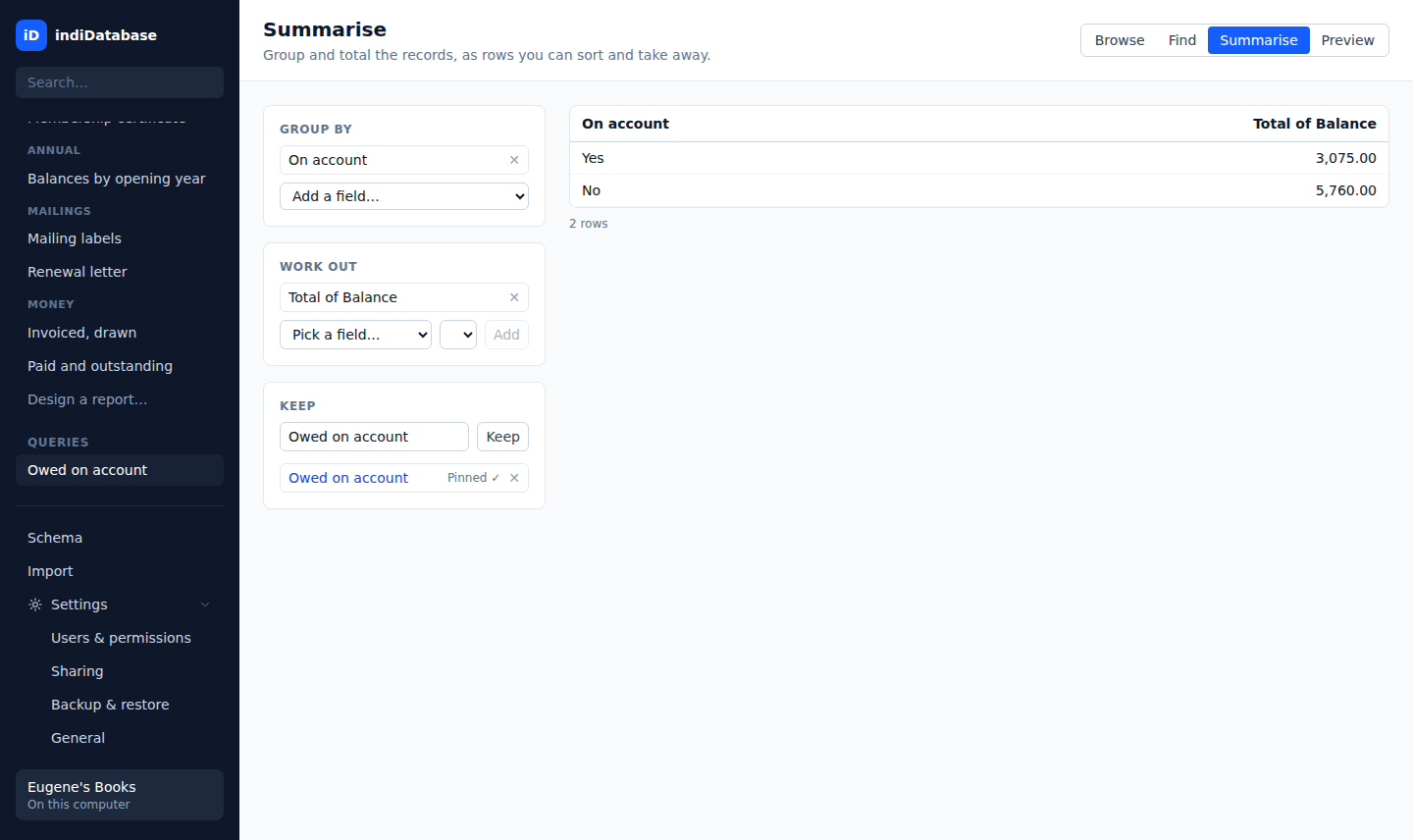
Group any table by a field, total or count or average another, and every distinct value becomes a row with an exact figure — query-by-example, the way it worked when databases were friendly. Run a find first and the found set carries in.
- Pick fields and summaries from dropdowns — no query language anywhere
- Keep a worksheet by name and it lives in the file, listed in the sidebar
- Pin a kept worksheet to Home and it becomes part of the morning picture
- Figures are exact to the penny, because the money never goes near a float
The Whole Office, One File — No Server Product
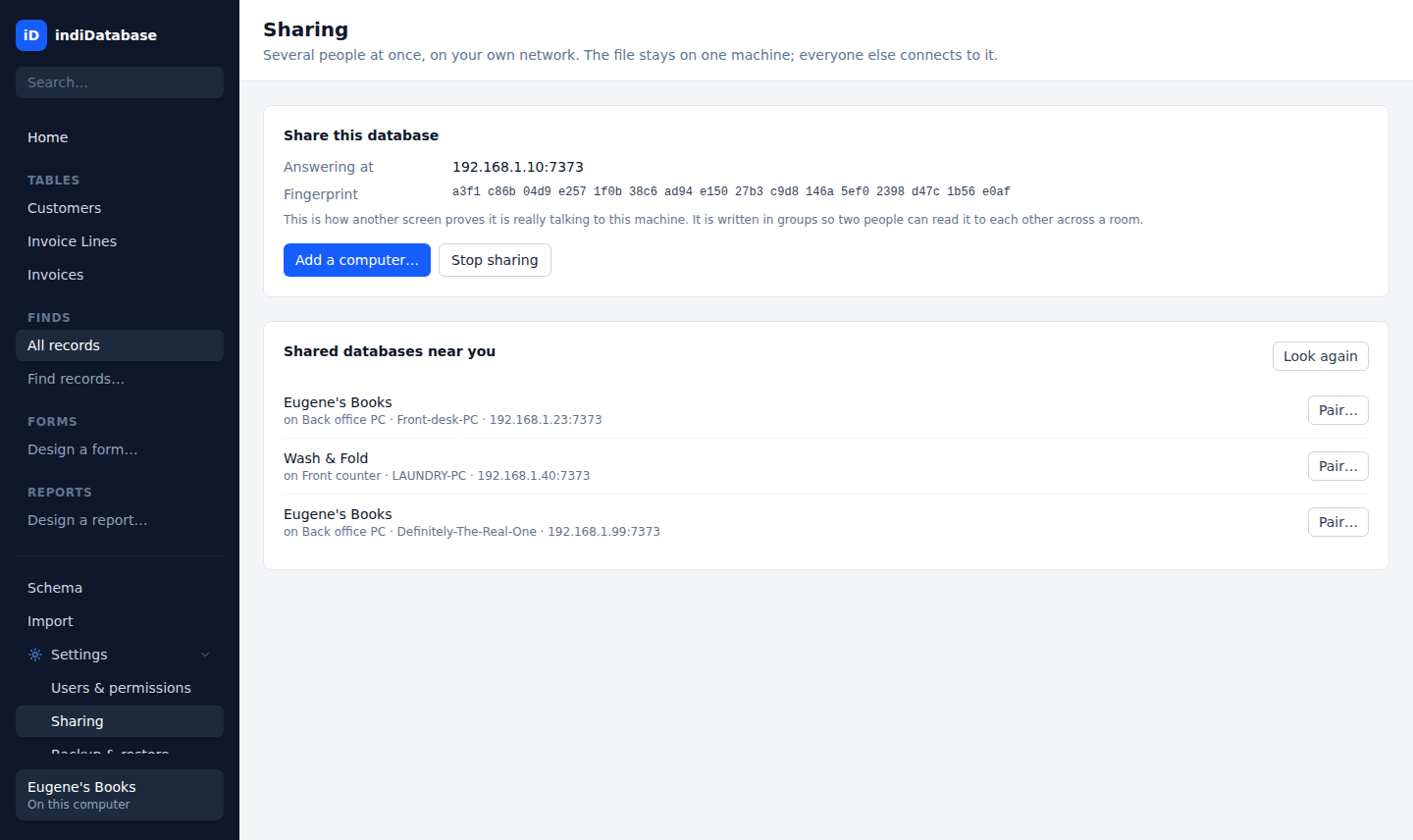
Press "Start sharing" and the database answers on your own network. Other computers pair with a short code read across the room, sign in, and work in the same file — live. The file never leaves the host machine, and nothing touches a cloud.
- Pairing codes work once, expire in five minutes, and authenticate the host's certificate — an impostor fails even with the right code
- Every connection encrypted with TLS, pinned to that machine and no other
- Other desks work in the database, never on the host computer — nothing sent over the network can read or write a file on its disk
- Live updates: every desk sees a save within a beat, and the grid shows where it landed
- Record locking by name — "Ida is editing this record" — and a field-by-field merge when two people collide anyway
A Schema That Keeps You Honest
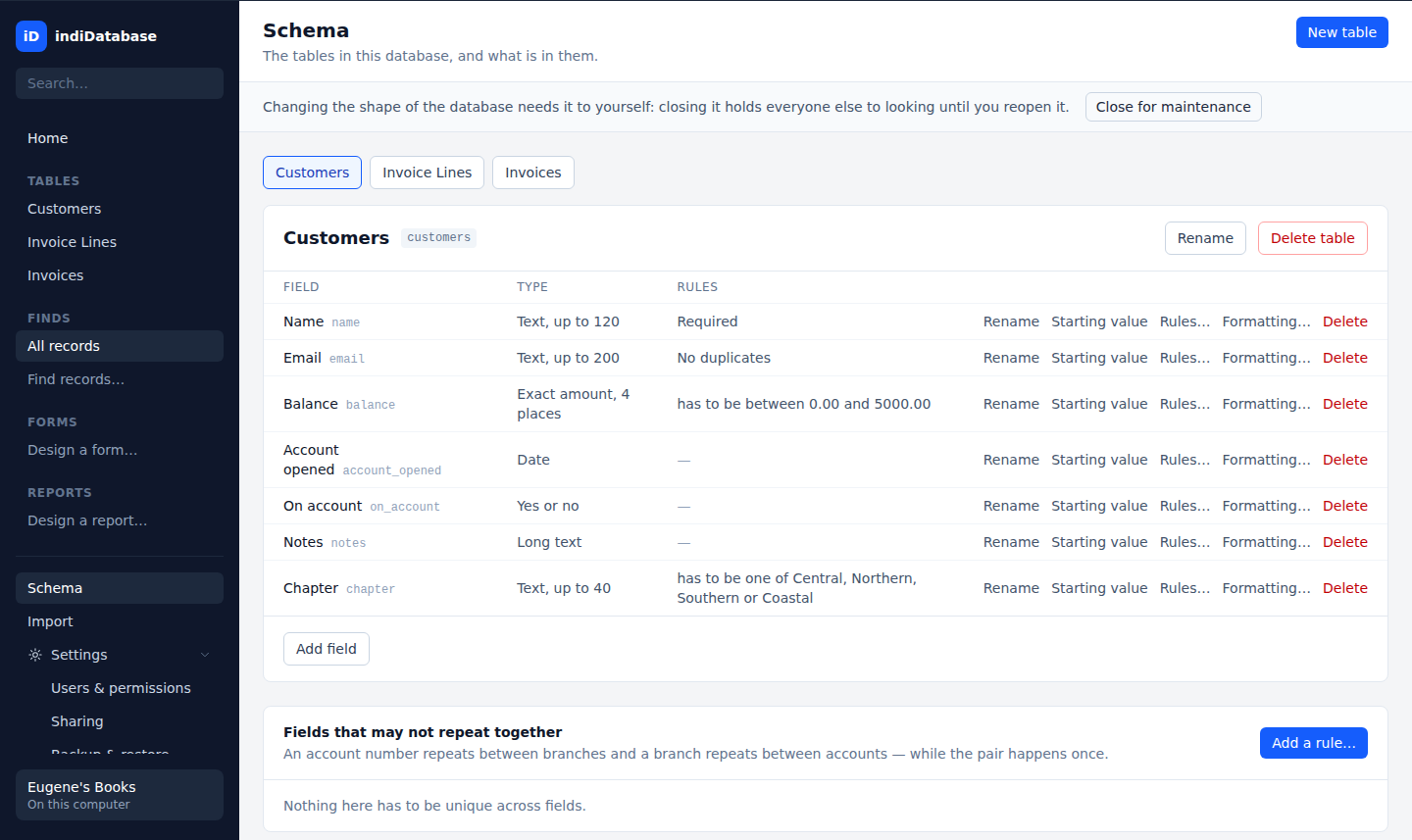
Nine field types, point-and-click. Validation rules are stored in the file itself as real constraints, so a record written by any tool is held to the same ones — and a rule your records already break is refused when you try to add it.
- Calculated fields in a formula language checked as you type, always current
- Summary fields that count and total the records at the other end of a join
- Starting values filled into every new record by the file itself
- Relationships on one field pair or several, with unique-together rules to prove a join lands on one record
- Rename or delete safely — no two tables or fields share a name, and deleting a table takes its reports and finds with it
The Complete Feature Set
From apps, forms, and six kinds of reports to record-level security, an audit trail, and office-wide sharing — one purchase, no add-ons.
Single-File Database
Schema, data, apps, forms, reports, and users in one file. Copy it, mail it, back it up like a document.
Apps
Group tables into an app for each part of the business and switch between them like programs — one file, shared customers.
Grid Browse
Spreadsheet-style browse over any table, generated from the schema itself.
Find & Saved Finds
Criteria-based finds on the grid and on forms, saved by name, with found-set counts.
Summarise (QBE)
Group and total without a formula — query-by-example with exact figures.
Saved Queries
Kept worksheets that live in the file, named, re-runnable, and pinnable.
Form Designer
Point-and-click cards with fields, labels, boxes, related panels, and buttons.
Find on the Form
The form blanks out and its boxes take criteria — Approach's find, alive again.
Buttons & Macros
A button runs the day's steps in order, with a conditional guard — checked when saved, so no typos.
Conditional Formatting
Values coloured by what they say, by rules stored in the file — the same warnings on every desk.
Named Styles
Text styles defined once and worn by name across forms and reports.
Grouped List Reports
Columnar reports with grouping, exact totals, and counts.
Certificates
One designed page per record, with the record's own values inside the wording.
Mailing Labels
N-up label sheets with Avery presets, measured in exact millimetres.
Form Letters
One page of flowing prose per record, fields merged into the text.
Crosstabs
Rows by columns with summarised cells — the pivot table, printed.
Charts
Bars, lines, and pies drawn by the same renderer that prints, exact figures beside them.
Report Questions
A report can ask when it runs — a date, a choice — and the page follows the answer.
Home Dashboard
Pin reports and worksheets; the pins live in the file, so every desk shares the picture — narrowed to the app you are in.
Calculated Fields
A full formula language, checked before saving, stored so results are always current.
Summary Fields
Totals, counts, and averages over related records, readable like any other field.
Validation Rules
Ranges and choices enforced in the file itself; refusals answer in plain sentences.
Relationships
Named joins on one field pair or several, read across grids, forms, and reports.
Import Wizard
CSV and legacy dBase — preview first, correct types and headings, then the corrected preview is the import.
CSV Export
The found set streams out exactly — UTF-8, ISO dates, exact amounts — at any size.
Users & Roles
Accounts, roles, and per-computer device enrolment, managed in the app — grant a role a whole app in one click. Shared reports can only be changed by someone who may change their table.
Record & Field Security
Per-role record filters and hidden or read-only fields, enforced by the engine on every read.
Audit Trail
Who made and who last changed every record, stamped by the engine, shown on the form.
Record Locking
A busy record refuses by the name of the person holding it — before you type, not after.
Live Updates
The host pushes news; every desk refreshes within a beat, keeping half-typed edits in place.
LAN Sharing
One click shares the open file on your network — the host window is the server.
Automatic Backups
Scheduled snapshots taken safely while the file is in use, with restore points listed in the app.
Maintenance Mode
Close the file for schema work; every desk sees why in words, and held edits resume after.
Pay Once. Own It Forever.
No subscriptions, no monthly fees, no per-seat rent. Updates are free within indiDatabase 1.x, and you never lose access to your data — ever.
Single-User
The whole application, on one computer
One-time purchase
- Tables, forms, finds & Summarise
- All six report kinds, with charts & crosstabs
- Calculated fields, rules & relationships
- Import from CSV and legacy dBase files
- Automatic backups & restore points
- Free updates within 1.x — nothing to renew
Multi-User
Sharing on — every computer in the office
One-time purchase
- Everything in Single-User
- Share the database on your own network — no server product
- Pairing codes, TLS, and pinned fingerprints
- Live updates, record locking & conflict merge
- Users, roles, record- & field-level security
- Free updates within 1.x — nothing to renew
Start with Single-User and outgrow it? Upgrade from inside the app for the difference — $200, never full price twice.
The Math Speaks for Itself
3-year total cost for a five-person office.
| indiDatabase Multi-User | FileMaker Pro (5 seats) | Airtable Team (5 seats) | |
|---|---|---|---|
| Year 1 | $399 | ~$1,260 | ~$1,200 |
| Year 2 | $0 | ~$1,260 | ~$1,200 |
| Year 3 | $0 | ~$1,260 | ~$1,200 |
| 3-Year Total | $399 | ~$3,780 | ~$3,600 |
FileMaker at Claris's listed ~$21/user/month; Airtable Team at ~$20/user/month. Their sharing also requires their servers — indiDatabase shares on your own network with nothing extra to buy.
Frequently Asked Questions
Get indiDatabase
A database of your own, on your own computer. Download now and try everything free for 30 days.
Linux
Windows
Windows 10 / 11, code-signed by Indomitus Group LLC · macOS coming later
Need help getting started? Read the documentation.
Your Data. Your Computer. Your Rules.
Stop paying monthly rent on a database you should own.